
Product Reviews & How-To Guides: Component Showcase
Alex Rivera
Explore powerful product review and tutorial components designed for affiliate marketing and educational content. See all variants in action!
Welcome to Product Review & Tutorial Components
Creating engaging product reviews and educational content has never been easier! This guide showcases 5 powerful components designed specifically for affiliate marketing and how-to content.
See real examples of ProductReview, ProductComparison, ProsCons, FeatureHighlight, and HowToGuide components - all ready to use in your blog posts!
ProductReview Component
The ProductReview component comes in 3 beautiful variants to match different content styles.
Variant 1: Default (Hero Style)

MacBook Pro 16-inch M3 Max
The MacBook Pro 16-inch with M3 Max is a powerhouse laptop designed for professionals who need maximum performance. Perfect for video editing, 3D rendering, and software development.
Pros
- Incredible M3 Max performance
- Stunning Liquid Retina XDR display
- All-day battery life (up to 22 hours)
- Excellent build quality and design
- Silent operation under normal use
Cons
- Very expensive price point
- Heavy at 4.8 pounds
- Limited port selection
- Overkill for basic tasks
Key Features
- ✓M3 Max chip with 40-core GPU
- ✓64GB unified memory
- ✓2TB SSD storage
- ✓16.2-inch Liquid Retina XDR display
- ✓1080p FaceTime HD camera
- ✓Six-speaker sound system
Variant 2: Compact (Space-Saving)
Perfect for quick product mentions or sidebar recommendations:

AirPods Pro (2nd Gen)
Best wireless earbuds with incredible sound quality and ANC.
Variant 3: Premium (Maximum Impact)
For flagship products that deserve special attention:
Sony A7 IV Mirrorless Camera

The Sony A7 IV is the ultimate hybrid camera for photographers and videographers who demand professional results. With cutting-edge autofocus and stunning image quality, it excels in any shooting scenario.
Pros
- Outstanding 33MP full-frame sensor
- Exceptional autofocus system
- Professional 4K video capabilities
- Weather-sealed magnesium body
- Dual card slots (CFexpress + SD)
Cons
- Premium price tag
- Menu system can be complex
- Battery life could be better
Key Features
- • 33MP BSI CMOS sensor
- • 759-point phase detection AF
- • 4K 60p video recording
- • 10fps continuous shooting
- • 5-axis in-body stabilization
- • 3.68M-dot OLED viewfinder
*Affiliate link - we may earn a commission at no extra cost to you
ProductComparison Component
Compare multiple products side-by-side with automatic feature extraction:
Best Smartphones of 2025
Compare flagship phones to find your perfect match

iPhone 15 Pro

Samsung Galaxy S24
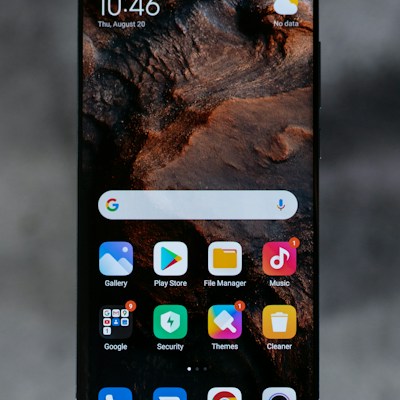
Google Pixel 8 Pro
| Features | BEST CHOICE iPhone 15 Pro $999 View Product | Samsung Galaxy S24 $899 View Product | Google Pixel 8 Pro $799 View Product |
|---|---|---|---|
| Display | 6.1-inch OLED | 6.2-inch AMOLED | 6.7-inch OLED |
| Processor | A17 Pro | Snapdragon 8 Gen 3 | Google Tensor G3 |
| Camera | 48MP Triple | 50MP Triple | 50MP Triple |
| Battery | 3,200 mAh | 4,000 mAh | 5,000 mAh |
| 5G Support | |||
| Water Resistant | |||
| Wireless Charging | |||
| Storage Options | 128GB - 1TB | 256GB - 512GB | 128GB - 512GB |
*Affiliate links - we may earn a commission at no extra cost to you
ProsCons Component
Dedicated pros and cons lists in 3 different styles:
Default Style
Nintendo Switch OLED Review
Pros
- Gorgeous 7-inch OLED screen
- Enhanced audio quality
- Better kickstand design
- 64GB internal storage
- Versatile play modes
Cons
- No performance upgrade
- Still uses outdated hardware
- Expensive for what it offers
- Joy-Con drift issues persist
Modern Style (Gradient)
Tesla Model 3 Analysis
Pros
- Incredible acceleration and performance
- Industry-leading autopilot features
- Low cost of ownership
- Minimalist, futuristic interior
- Over-the-air software updates
Cons
- Build quality inconsistencies
- Expensive to repair
- Limited service center availability
- Touchscreen controls can be distracting
Minimal Style
Pros
- Fast and lightweight
- Great battery life
- Excellent value for money
Cons
- Limited storage
- No headphone jack
- Average camera quality
FeatureHighlight Component
Showcase product features with icons in 3 layout variants:
Grid Layout (Default)
Why Choose Our Platform
Lightning Fast
Experience blazing speeds with our optimized infrastructure
Secure by Design
Enterprise-grade security protecting your data 24/7
AI-Powered
Smart automation that learns from your workflow
Top Rated
Trusted by over 10,000 satisfied customers worldwide
List Layout
Premium Features Included
Unlimited Storage
Store all your files with no restrictions or hidden fees
Real-time Collaboration
Work together seamlessly with your team in real-time
Advanced Analytics
Track performance with detailed insights and reporting
Cards Layout
What Makes Us Different
24/7 Support
Our expert team is always ready to help you succeed
Easy Integration
Connect with your favorite tools in minutes, not hours
Constant Innovation
Regular updates with new features based on user feedback
HowToGuide Component
Step-by-step tutorials in 3 beautiful variants:
Numbered Style (Default)
How to Set Up Your First Blog
Choose Your Platform
Select a blogging platform that fits your needs. Popular options include WordPress, Ghost, and Medium. Consider factors like ease of use, customization options, and pricing.
Tip: Start with a free plan to test the platform before committing to a paid subscription
Register a Domain Name
Pick a memorable domain name that reflects your blog's topic. Use domain registrars like Namecheap or Google Domains to check availability and purchase your domain.
Warning: Avoid trademarked names and keep it short (under 15 characters is ideal)
Set Up Web Hosting
Choose a reliable hosting provider to store your blog files. Recommended hosts include Bluehost, SiteGround, and HostGator. Look for 99.9% uptime guarantees and good customer support.
Tip: Many hosting providers offer free domain registration with annual plans
Install and Configure Your Blog
Most platforms offer one-click installation. After installation, configure basic settings like site title, tagline, timezone, and permalink structure. Choose a clean, responsive theme that matches your brand.
Tip: Install essential plugins for SEO, caching, and security from day one
Publish Your First Post
Write and publish your introductory post! Introduce yourself, explain what your blog is about, and what readers can expect. Include images and format your content for easy reading.
Tip: Aim for at least 500 words and use subheadings to improve readability
Checklist Style
Quick Git Setup Guide
Install Git
Download and install Git from git-scm.com for your operating system
Verify installation by running 'git --version' in your terminal
Configure User Information
Set your username and email using 'git config --global user.name' and 'git config --global user.email'
Use the same email as your GitHub account for proper attribution
Initialize Repository
Navigate to your project folder and run 'git init' to create a new Git repository
Make Your First Commit
Stage files with 'git add .' and commit with 'git commit -m "Initial commit"'
Timeline Style
Building Your First React App
Set Up Development Environment
Install Node.js (v18+) and npm. Verify installation with 'node --version' and 'npm --version'.
Tip: Use nvm (Node Version Manager) to easily switch between Node versions
Create React App
Run 'npx create-react-app my-app' to scaffold a new React application with all necessary configurations.
Warning: This may take 5-10 minutes depending on your internet speed
Explore Project Structure
Navigate to your project folder and familiarize yourself with the file structure. Key folders include 'src' (source code), 'public' (static assets), and 'node_modules' (dependencies).
Tip: The 'src/App.js' file is where you'll write most of your code initially
Start Development Server
Run 'npm start' to launch the development server. Your app will open at http://localhost:3000 with hot-reloading enabled.
Tip: Keep this terminal window open while developing - it will show errors and warnings
Build Your First Component
Create a new file 'src/components/Hello.js' and build a simple functional component. Import and use it in App.js to see your component in action.
Tip: Use functional components with hooks - they're the modern React standard
Real-World Example: Complete Product Review
Here's how these components work together for a comprehensive review:
DJI Mini 4 Pro: Complete Review
DJI Mini 4 Pro

The DJI Mini 4 Pro is the perfect drone for creators who need professional quality in a portable package. Despite its tiny size, it delivers stunning 4K footage with advanced safety features.
Pros
- Compact and lightweight (249g)
- Excellent 4K HDR video quality
- Omnidirectional obstacle avoidance
- Extended battery life (34 minutes)
- Intelligent flight modes
Cons
- No zoom capability
- Expensive accessories
- Wind can affect stability
Key Features
- • 4K/60fps HDR video
- • 48MP photos
- • 34-minute max flight time
- • 10km transmission range
- • Omnidirectional obstacle sensing
- • ActiveTrack 360°
*Affiliate link - we may earn a commission at no extra cost to you
Key Features
Professional Quality
Capture stunning 4K HDR video and 48MP photos with advanced color profiles
Smart Safety
Omnidirectional obstacle avoidance keeps your drone safe in complex environments
Portable Design
Weighs under 250g - no FAA registration required in the US
Getting Started Guide
Flying Your DJI Mini 4 Pro
Charge Everything
Fully charge the drone battery, remote controller, and ensure your phone is charged. First flight preparation is crucial for a smooth experience.
Tip: DJI batteries perform best when stored between 40-60% charge for long-term storage
Install DJI Fly App
Download the DJI Fly app from the App Store or Google Play. Create a DJI account and activate your drone following the in-app instructions.
Warning: Make sure you're in a location with good GPS signal for activation
Perform Pre-Flight Check
Check propellers for damage, ensure battery is secure, verify camera gimbal moves freely, and update firmware if prompted.
Tip: Always calibrate the compass when flying in a new location
Take Your First Flight
Start in an open area away from obstacles. Take off and hover at 10 feet to get comfortable with controls. Practice basic movements before attempting advanced maneuvers.
Warning: Check local regulations and avoid flying near airports or restricted areas
Conclusion
These components make creating engaging product reviews and tutorials effortless! Mix and match variants to create unique, professional content that converts.
All these components are available in your MDX blog posts right now. Copy the examples and customize them for your own products and tutorials!
Happy reviewing! 🚀
Related Articles


Written by
Alex Rivera
Tech enthusiast and professional developer sharing insights on modern web development.